The Field Guide

Every way to help a hero walk again. Step by step.

Walk, back a walker, give, sponsor, or nominate a veteran. Pick your path. Every step shows the real screen you'll see, with the exact button circled and numbered.

Real screens from the Walk For A Hero app.

13 steps

Walk For A Hero

You want to walk 15 miles and get the people you know to pledge for every mile.

What you'll need

  • A phone (the free app records your miles)
  • An email address you check
  • At least ten people to ask
  • Fifteen miles, at your own pace. No deadline.
Part 1 · Sign up on the website

STEP 01of 13

Pick the hero you'll walk for.

Every hero is a real U.S. veteran living with paralysis. Open the hero's page and you can read his story and see how much has been raised for him so far.

Ready? Press the red Become A Walker button on his page.

On this screen

Good to know: Our first hero is Joshua L. Holm, Hero 1 of 100. Not sure yet? You can also start from the Become A Walker page and pick a hero there.

On the websitewalkforahero.com/heroes/joshua-holm
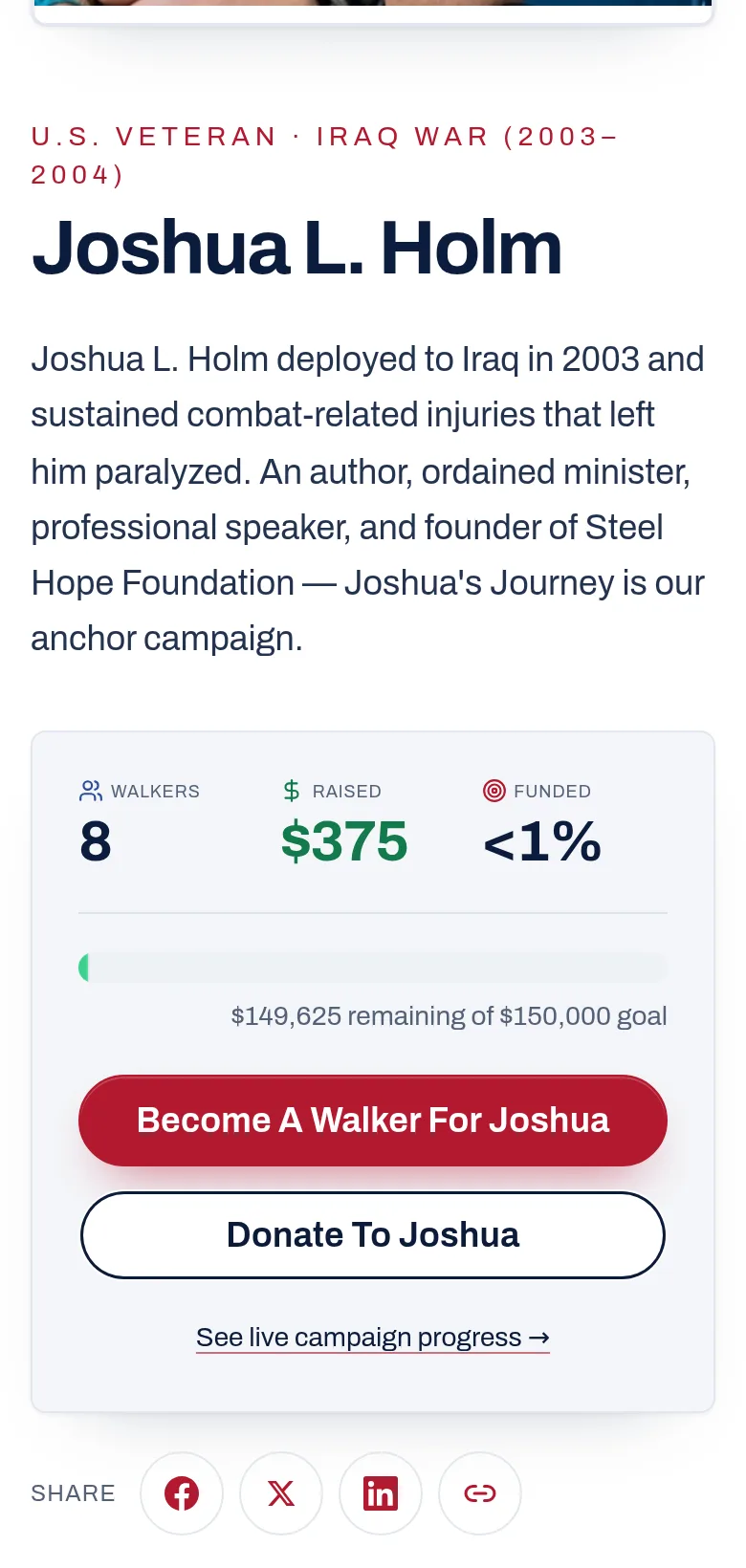
Pick the hero you'll walk for. — screenshot of walkforahero.com/heroes/joshua-holm, with 2 numbered marks

STEP 02of 13

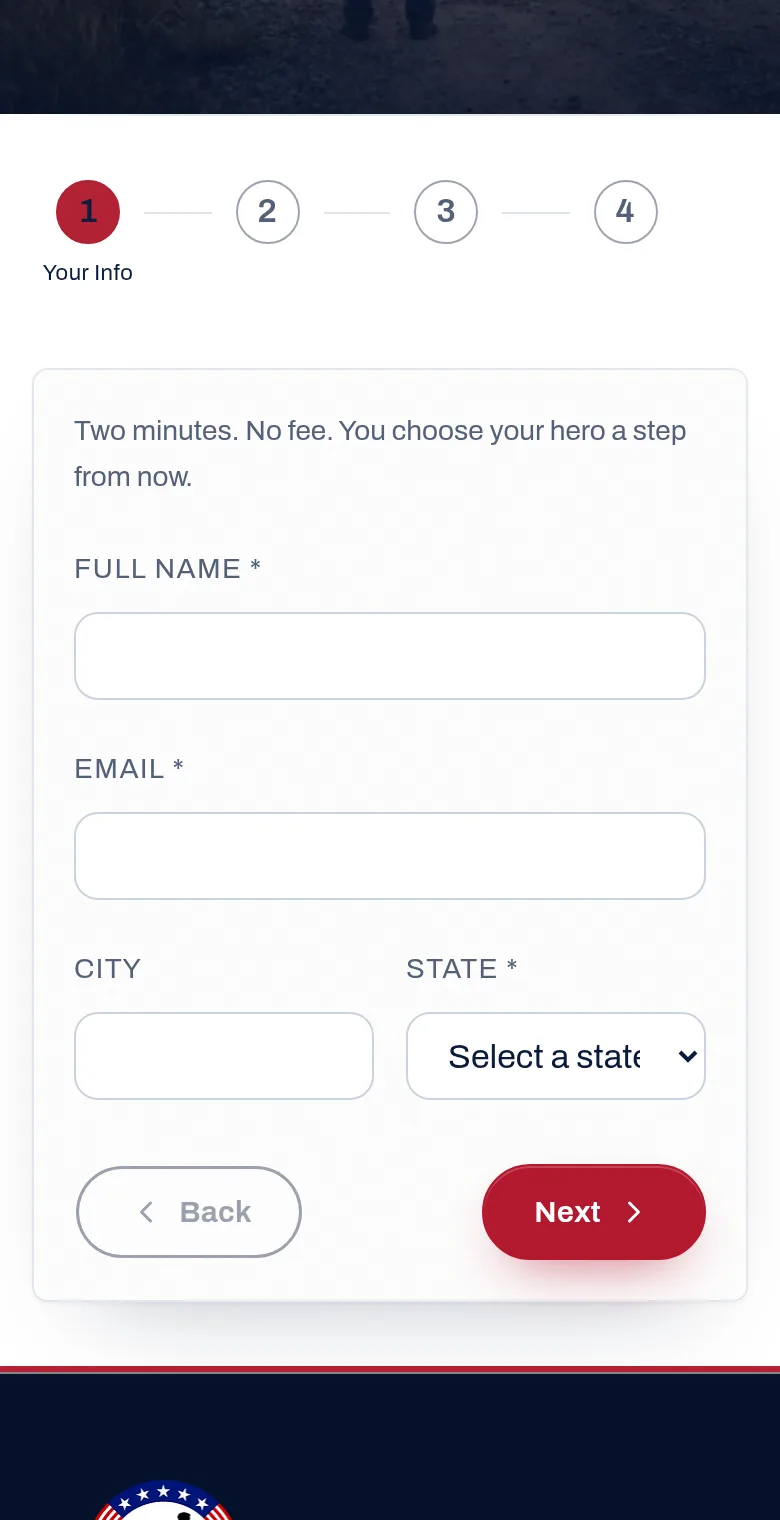
Tell us who you are.

This is step 1 of a short four-step form. It's free, and it takes about two minutes.

Type your full name and your email. Pick your state from the list. Then press Next.

On this screen

On the websitewalkforahero.com/become-a-walker

Tell us who you are. — screenshot of walkforahero.com/become-a-walker, with 4 numbered marks

STEP 03of 13

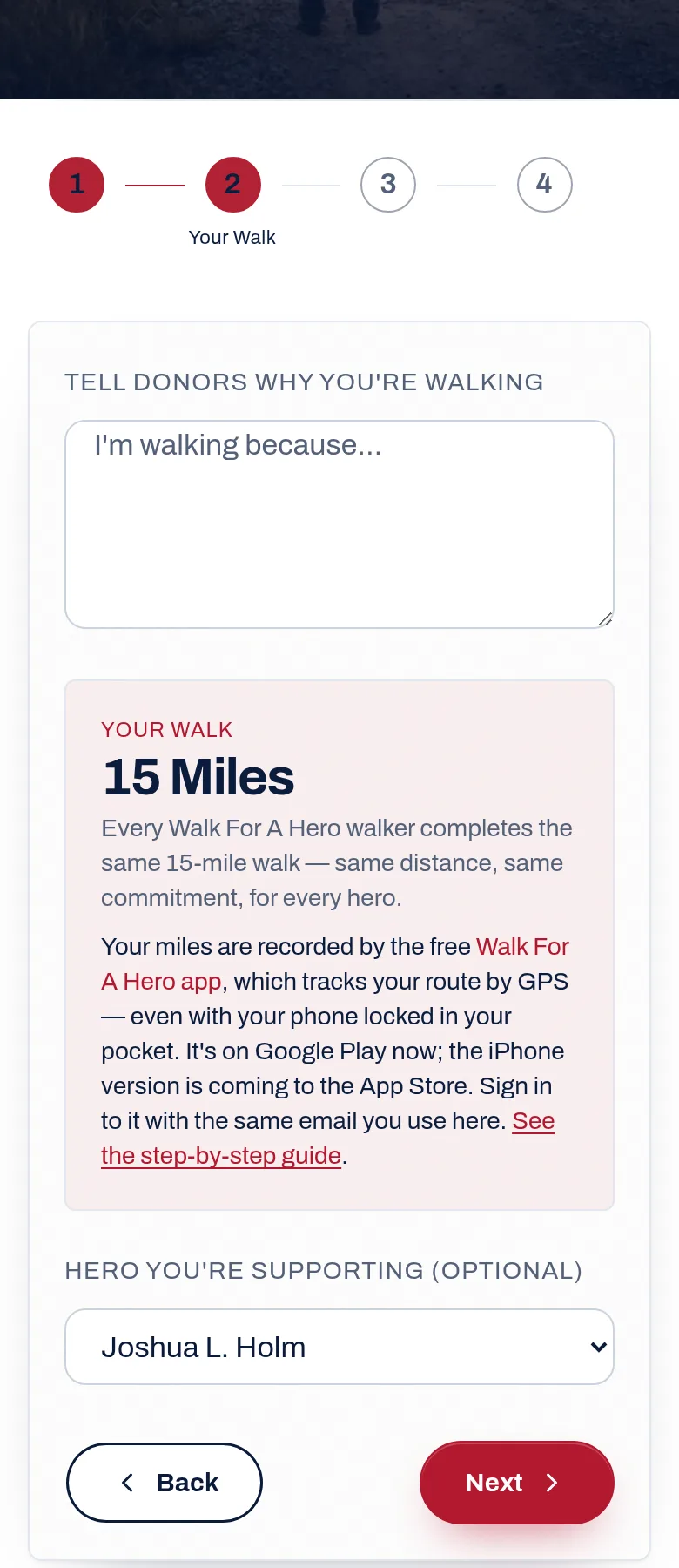
Say why you're walking, and choose your hero.

In the big box, write a sentence or two about why you're walking. The people you ask will read it, so make it yours.

Below that, choose your hero from the list. Then press Next.

On this screen

Good to know: Every walker walks the same 15 miles. That's the deal for every hero.

On the websiteBecome A Walker · step 2, Your Walk

Say why you're walking, and choose your hero. — screenshot of Become A Walker · step 2, Your Walk, with 3 numbered marks

STEP 04of 13

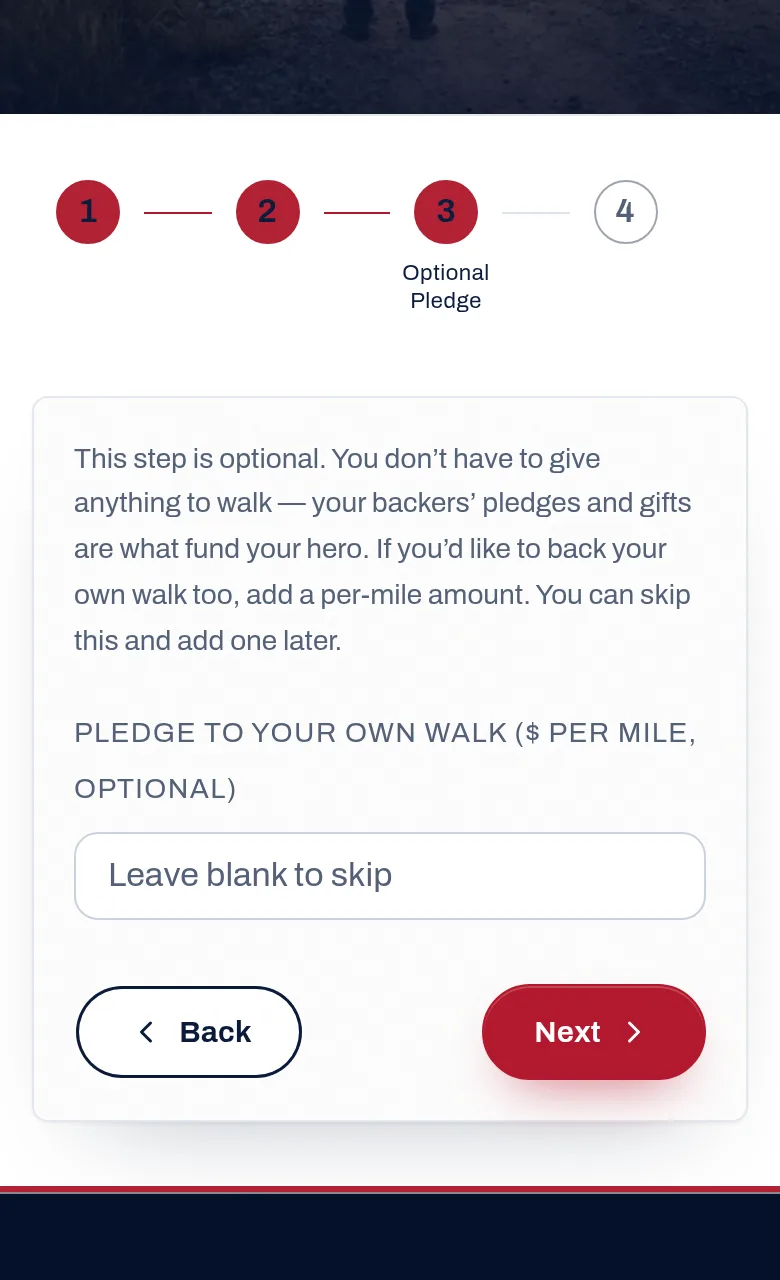
Skip the money box if you want, then confirm.

Step 3 asks if you want to pledge to your own walk. You don't have to. Leave it blank and press Next.

Step 4 shows everything you typed. If it looks right, press Start Walking.

On this screen

On the websiteBecome A Walker · step 3, Optional Pledge

Skip the money box if you want, then confirm. — screenshot of Become A Walker · step 3, Optional Pledge, with 2 numbered marks

STEP 05of 13

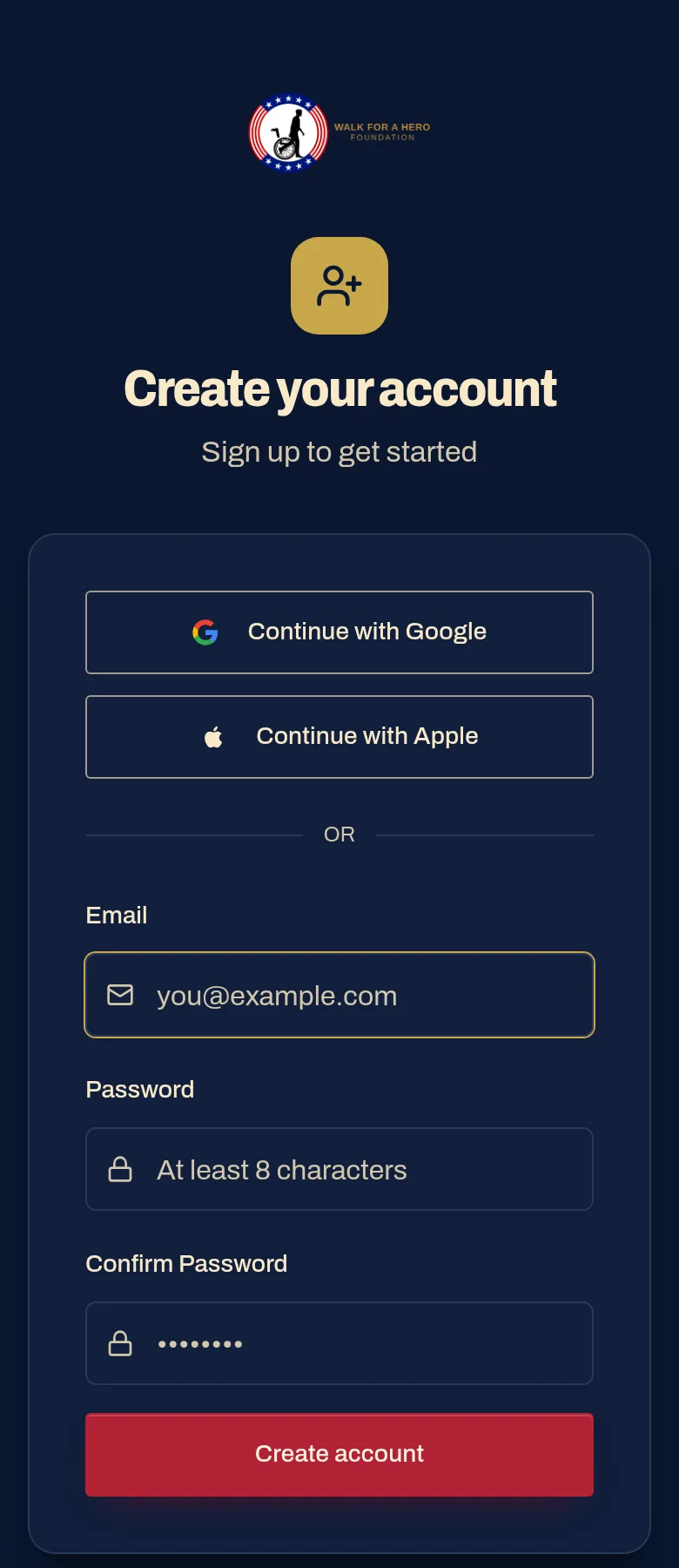
Make your login.

On the thank-you screen, press Create My Login. Use the same email you just signed up with, and make a password of at least 8 characters.

Press Create account. We email you a 6-digit code. Type it in, and you're in.

On this screen

Heads up: Can't find the 6-digit code? Look in your spam or junk folder.

Heads up: Use one email everywhere: the website, the login and the app. Different emails make different accounts.

On the websitewalkforahero.com/register

Make your login. — screenshot of walkforahero.com/register, with 4 numbered marks
Part 2 · Get the app

STEP 06of 13

Download the free Walk For A Hero app.

The app is what counts your miles. It uses your phone's GPS, so it keeps counting with the screen locked and the phone in your pocket.

Open it and sign in with the same email and password. If you used Google or Apple on the website, use the same button in the app.

Walk For A Hero

Free · Walk For A Hero Foundation

Android: Google Play
iPhone: coming soon

On an iPhone? The iPhone app is being reviewed by Apple right now. Sign up today and your spot is saved; you'll use the same login the moment it's out.

STEP 07of 13

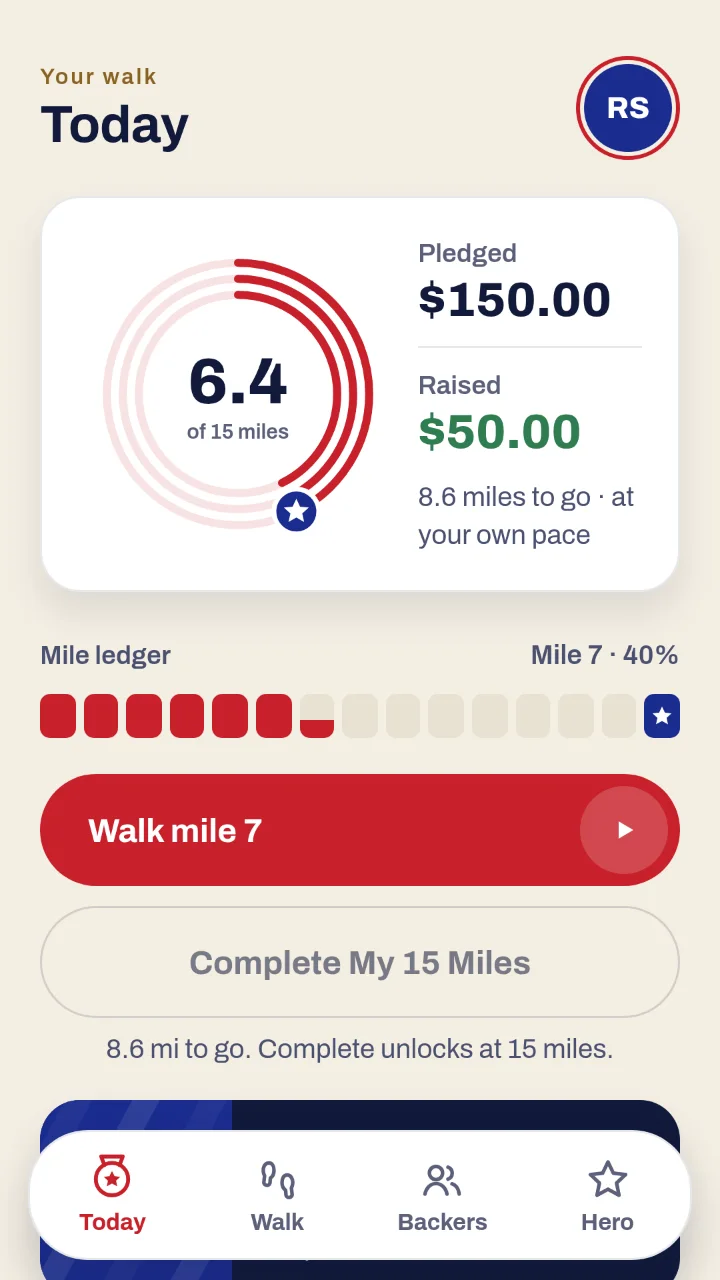
Learn your Today screen.

Today is home base. The big ring shows your miles out of 15. Next to it you'll see two money numbers, and they mean different things.

Pledged is what your backers have promised so far. Raised is money that has actually been charged.

Along the bottom are the four tabs: Today, Walk, Backers and Hero.

On this screen

Good to know: Tap the circle with your initials, top right, for your profile, photo, notifications and sign-out.

In the appWalk For A Hero app · Today tab

Learn your Today screen. — screenshot of Walk For A Hero app · Today tab, with 4 numbered marks
Part 3 · Get your backers

STEP 08of 13

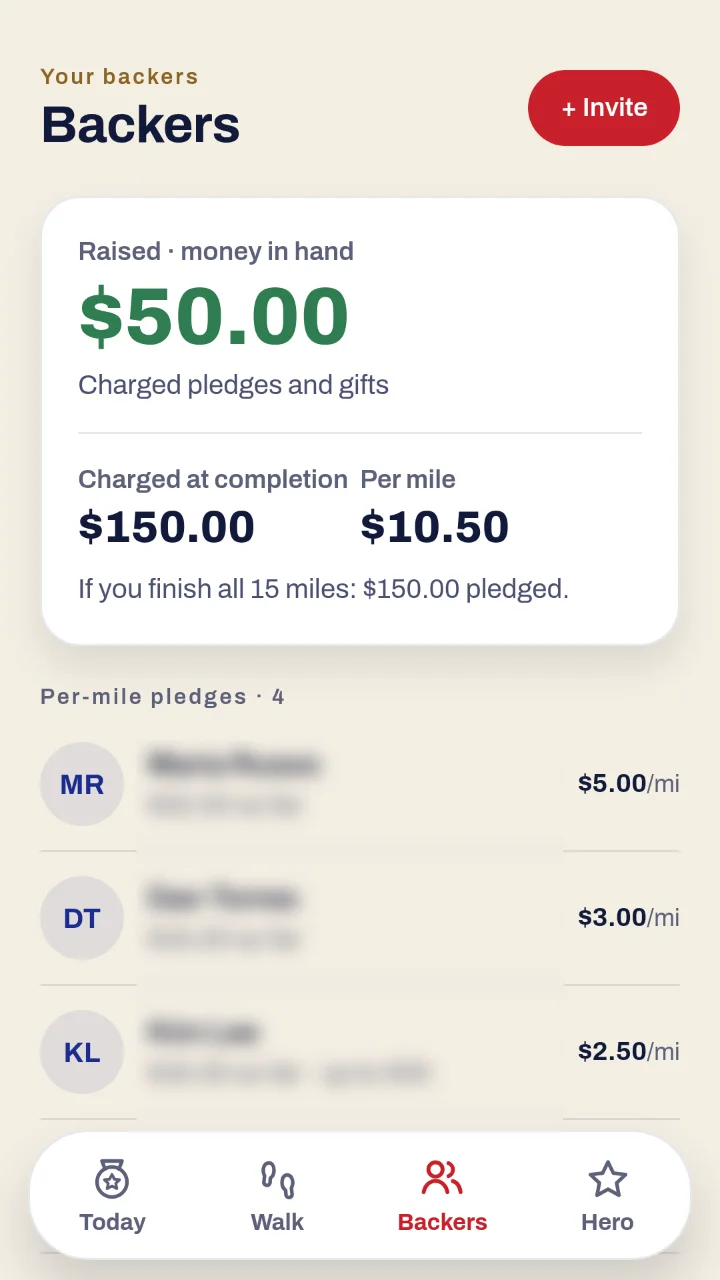
Ask at least ten people to back you.

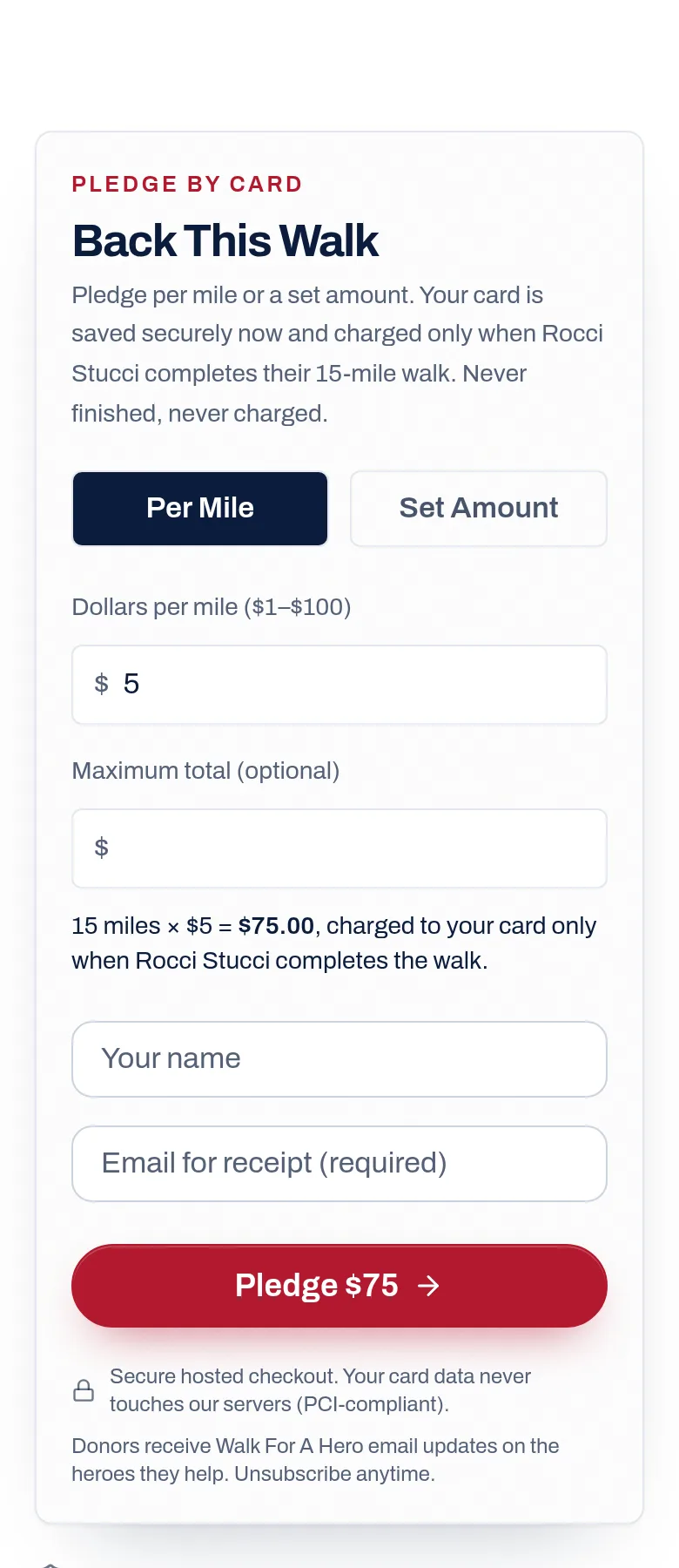
Open the Backers tab and press + Invite. Pick one of three ready-made messages and send it by text, email or social. Each one carries your personal link.

When someone pledges, they show up on this list, with what they've promised so far.

On this screen

Here's the math · an example

One backer at $5 a mile × 15 miles
$75
10 backers like that (the minimum)
$750

Good to know: Ten is the minimum to get started. There's no maximum. Every backer past ten adds to the same walk.

In the appWalk For A Hero app · Backers tab

Ask at least ten people to back you. — screenshot of Walk For A Hero app · Backers tab, with 3 numbered marks
Part 4 · Walk

STEP 09of 13

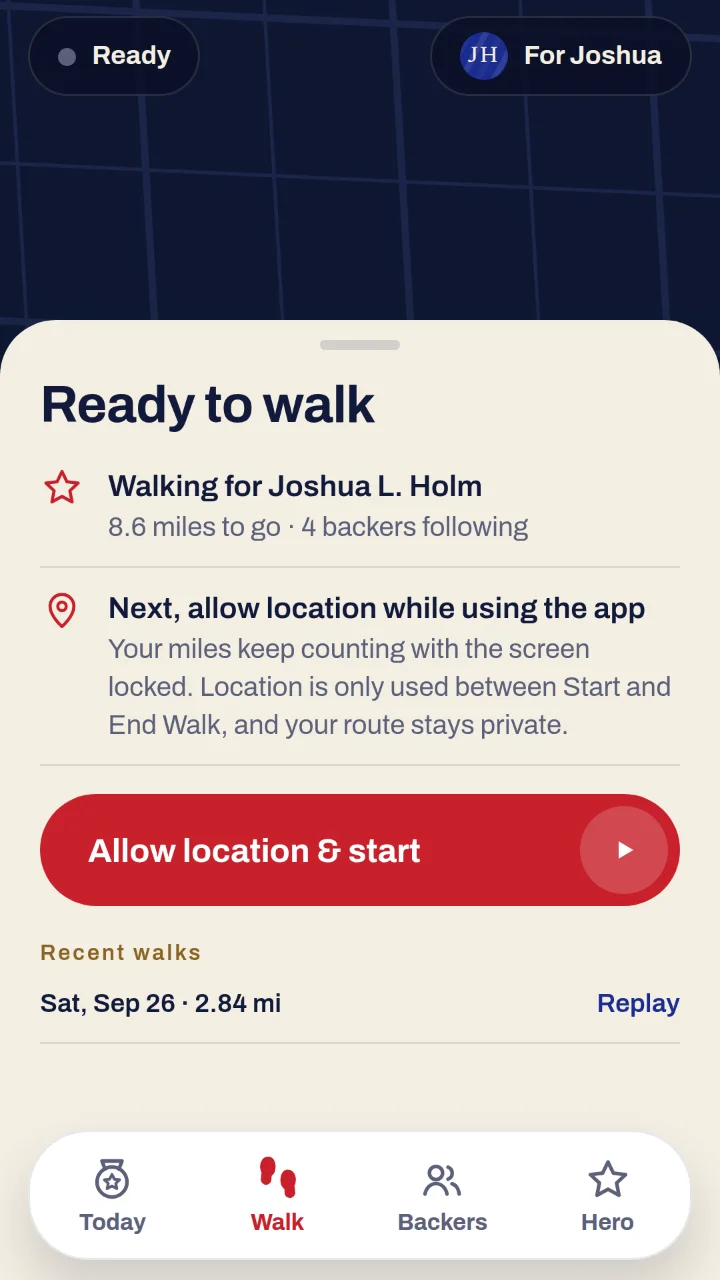
Get ready to walk.

Go outside and open the Walk tab. It shows the hero you're walking for and how far you have to go.

Press Allow location & start. When your phone asks, choose to allow location while using the app.

On this screen

Good to know: Your location is only used between Start and End Walk, and your route stays private.

In the appWalk For A Hero app · Walk tab

Get ready to walk. — screenshot of Walk For A Hero app · Walk tab, with 3 numbered marks

STEP 10of 13

Walk. Your phone does the counting.

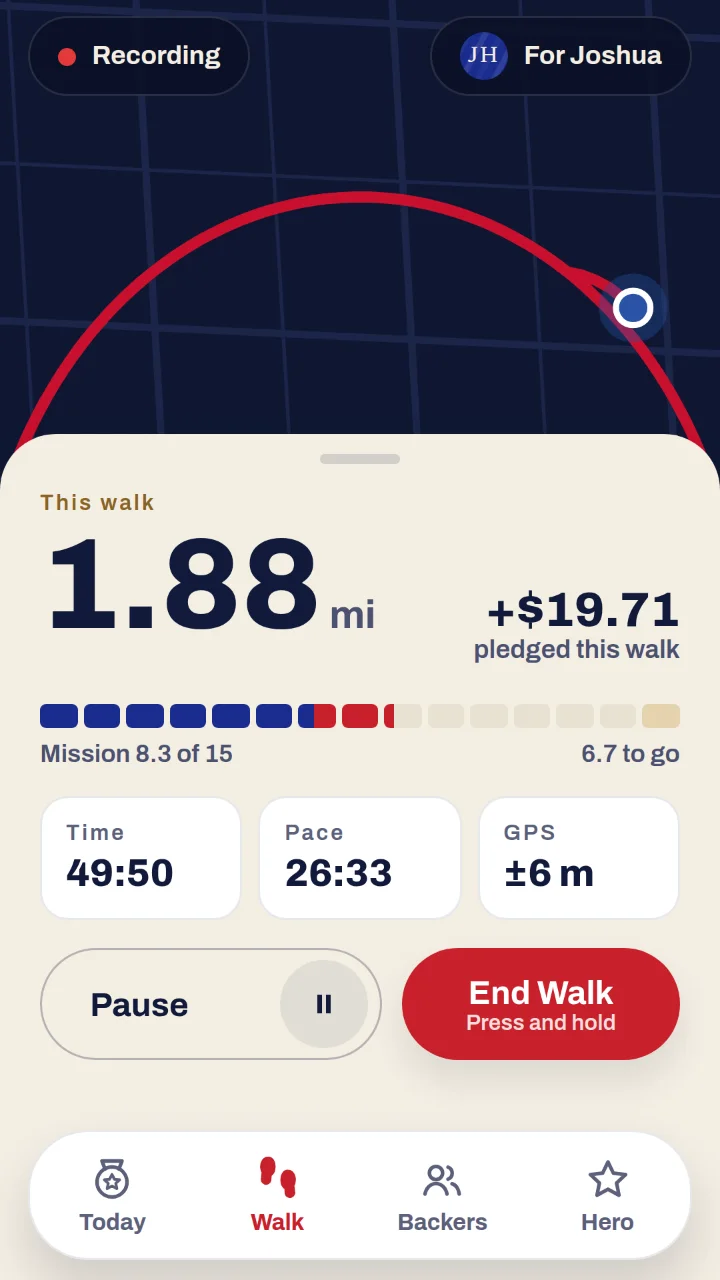
Once it says Recording, just walk. You can lock your phone and put it in your pocket. The miles keep counting.

Need a break? Press Pause. Done for today? Press and hold End Walk until it finishes. A quick tap won't end it, so you can't stop by accident.

On this screen

Heads up: Don't swipe the app closed while you walk. Locking the phone is fine; closing the app stops the count.

Heads up: Walk outside. GPS measures real distance, so a treadmill doesn't add miles, and anything faster than 12 mph (a car or a bike) doesn't count.

In the appWalk For A Hero app · while you walk

Walk. Your phone does the counting. — screenshot of Walk For A Hero app · while you walk, with 5 numbered marks

STEP 11of 13

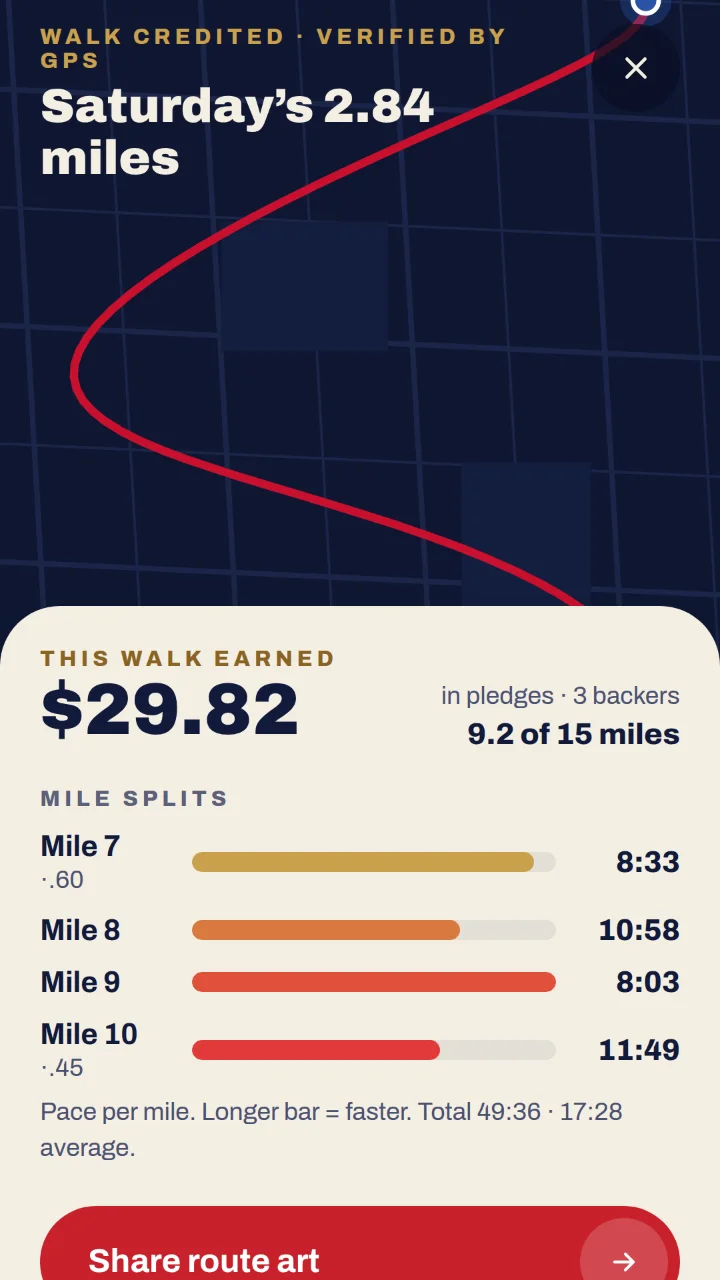
See every walk you've done.

After each walk you get a recap: the miles, the pledges it earned and your time for every mile.

Every walk is checked by our system. If something looks unusual, a real person looks at it before it counts.

On this screen

Good to know: Walk 15 miles in one go or fifteen one-mile walks. It all adds up the same.

In the appWalk For A Hero app · walk recap

See every walk you've done. — screenshot of Walk For A Hero app · walk recap, with 4 numbered marks
Part 5 · Finish

STEP 12of 13

At 15 miles, press Complete My 15 Miles.

This button stays grey until you reach 15 miles. When it turns on, press it.

That's the moment your backers' cards are charged, and the money goes to your hero. Until you press it, nobody is charged.

On this screen

Heads up: End your last walk first (press and hold End Walk), then press Complete.

In the appWalk For A Hero app · Today tab

At 15 miles, press Complete My 15 Miles. — screenshot of Walk For A Hero app · Today tab, with 2 numbered marks

STEP 13of 13

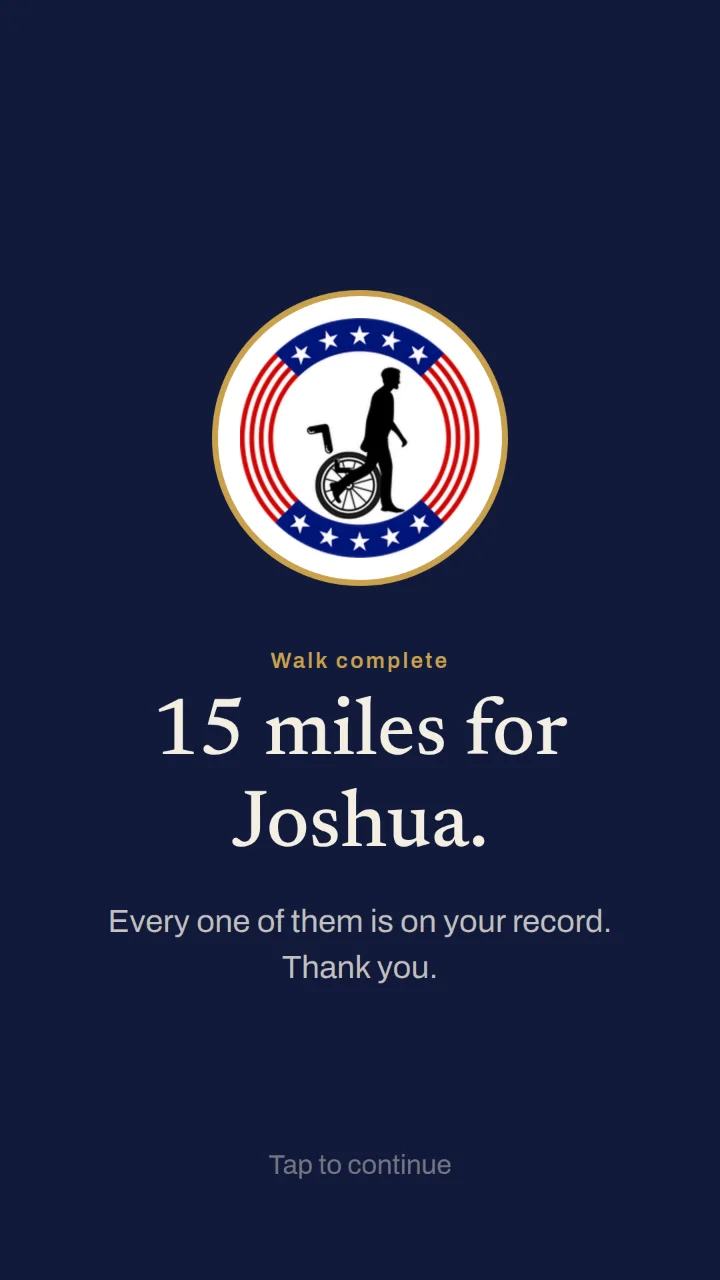
Celebrate, share it, and walk again if you like.

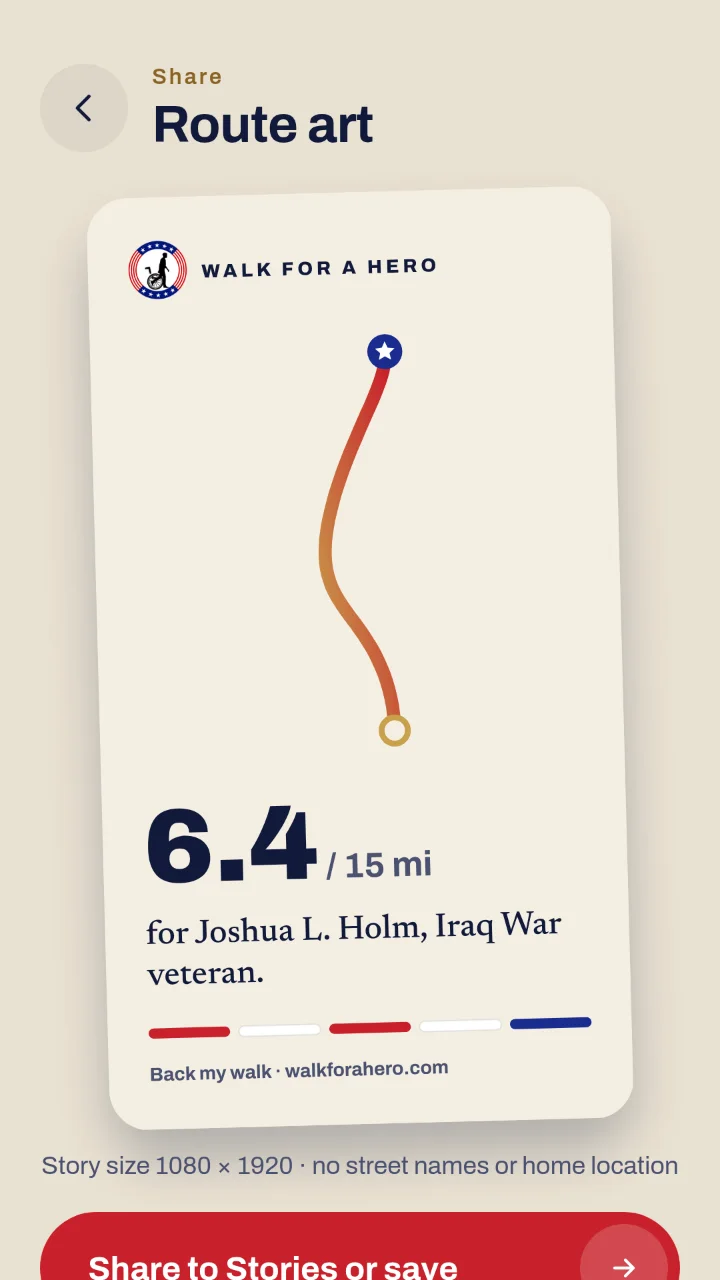
You get a route card to share: your walk's shape and your hero's name. It never shows street names or where you live.

Want to go again? Walk another 15 miles for the same hero or a new one, with the same account.

On this screen

In the appWalk For A Hero app · route art

Celebrate, share it, and walk again if you like. — screenshot of Walk For A Hero app · route art, with 2 numbered marks

Still stuck? Ask a person.

Your move

Fifteen miles. Ten backers. One veteran standing again.